
One system, for what you trade
Avirat is built around three products — diamond, gemstone and jewellery. Choose the ones you deal in and you get exactly their screens, fields and reports, on one trading workflow instead of three separate tools.
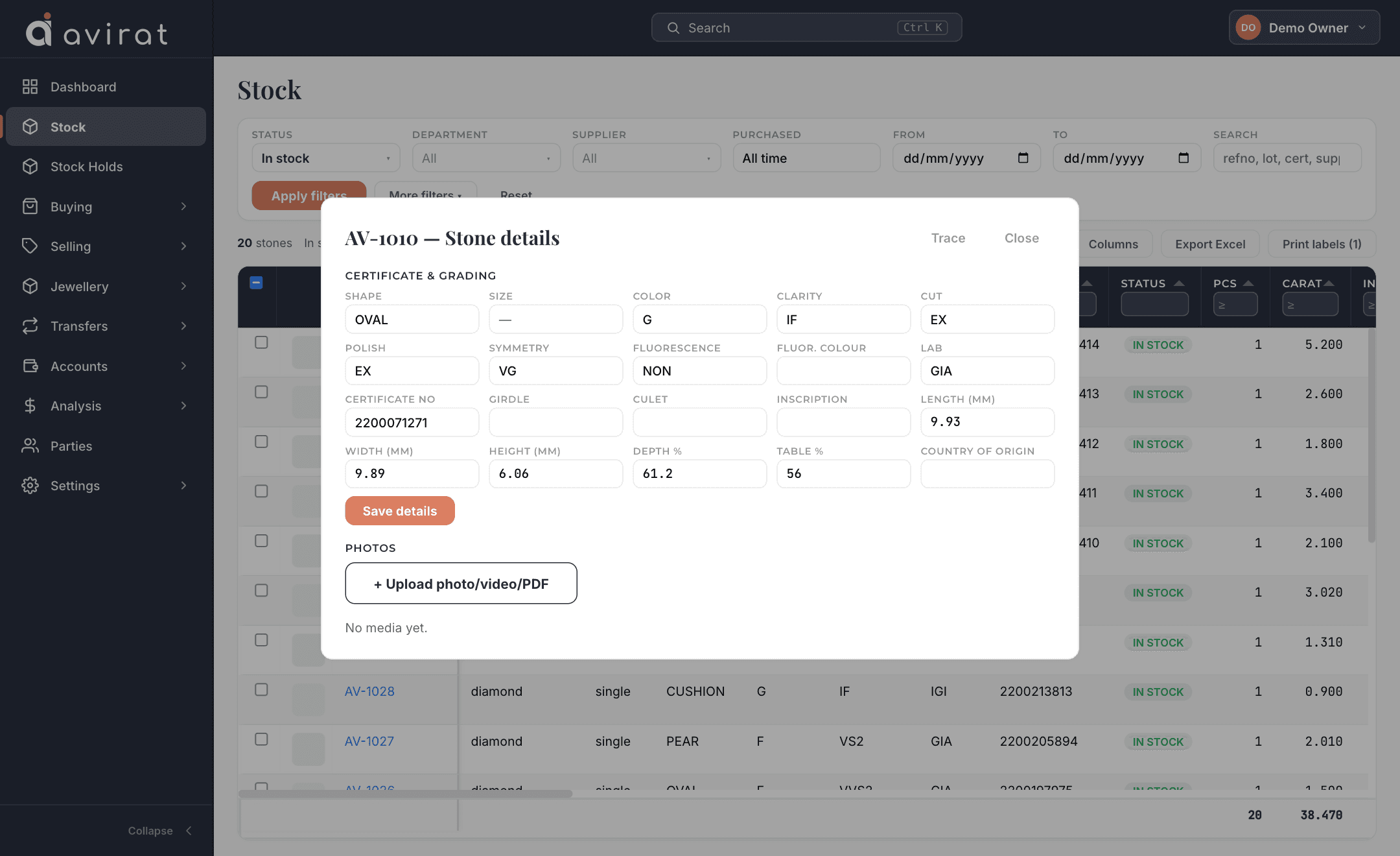
Diamond inventory software
Loose polished diamonds, certificate by certificate.
- Full certificate detail. GIA, IGI or any lab: cut, polish, symmetry, fluorescence, girdle, culet, measurements, depth %, table % and inscription — typed in at purchase, or added later when the certificate arrives.
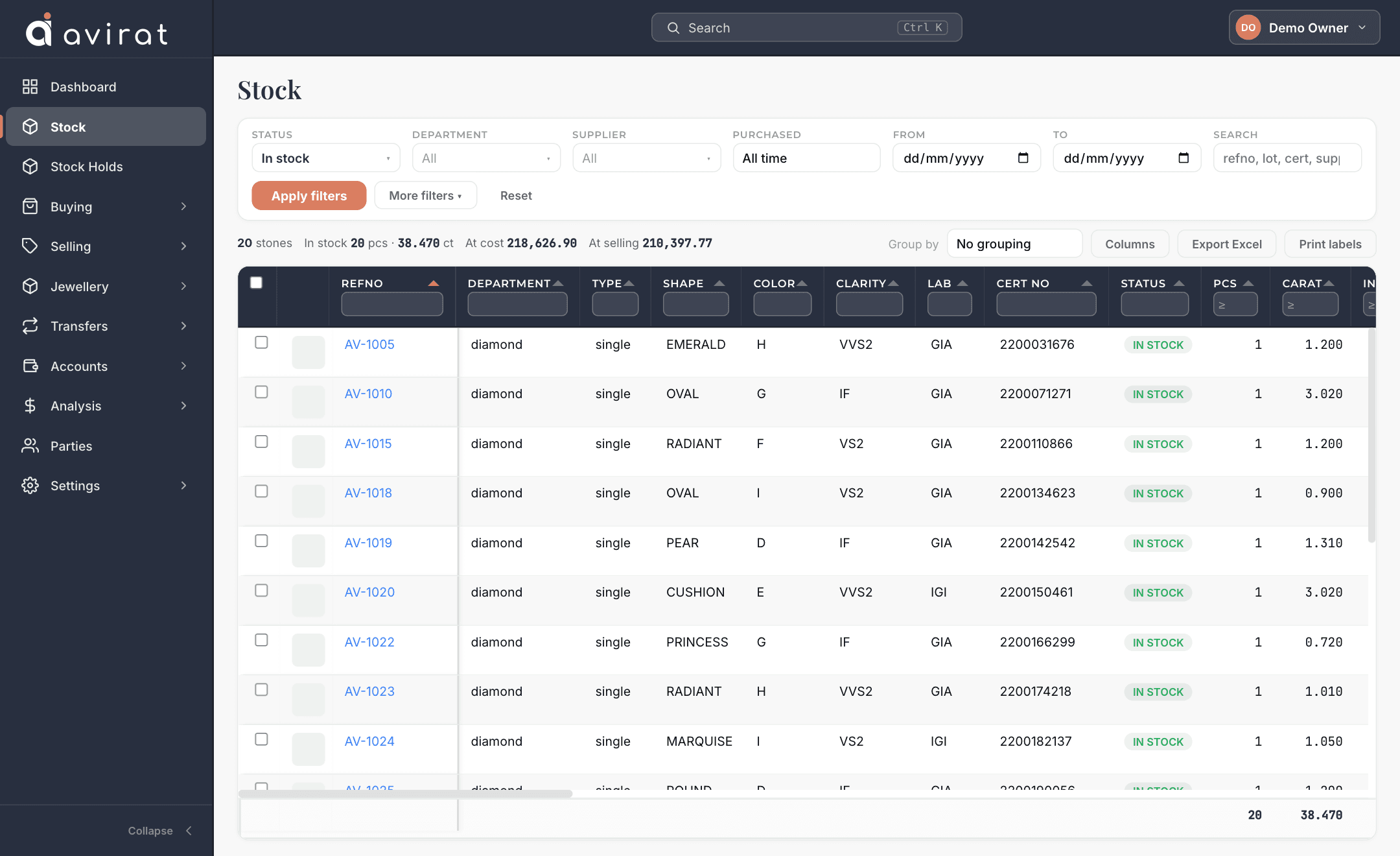
- Stock that answers instantly. Search and filter by shape, colour, clarity, lab, grades and measurement ranges; choose your own columns; group, total and export to Excel.
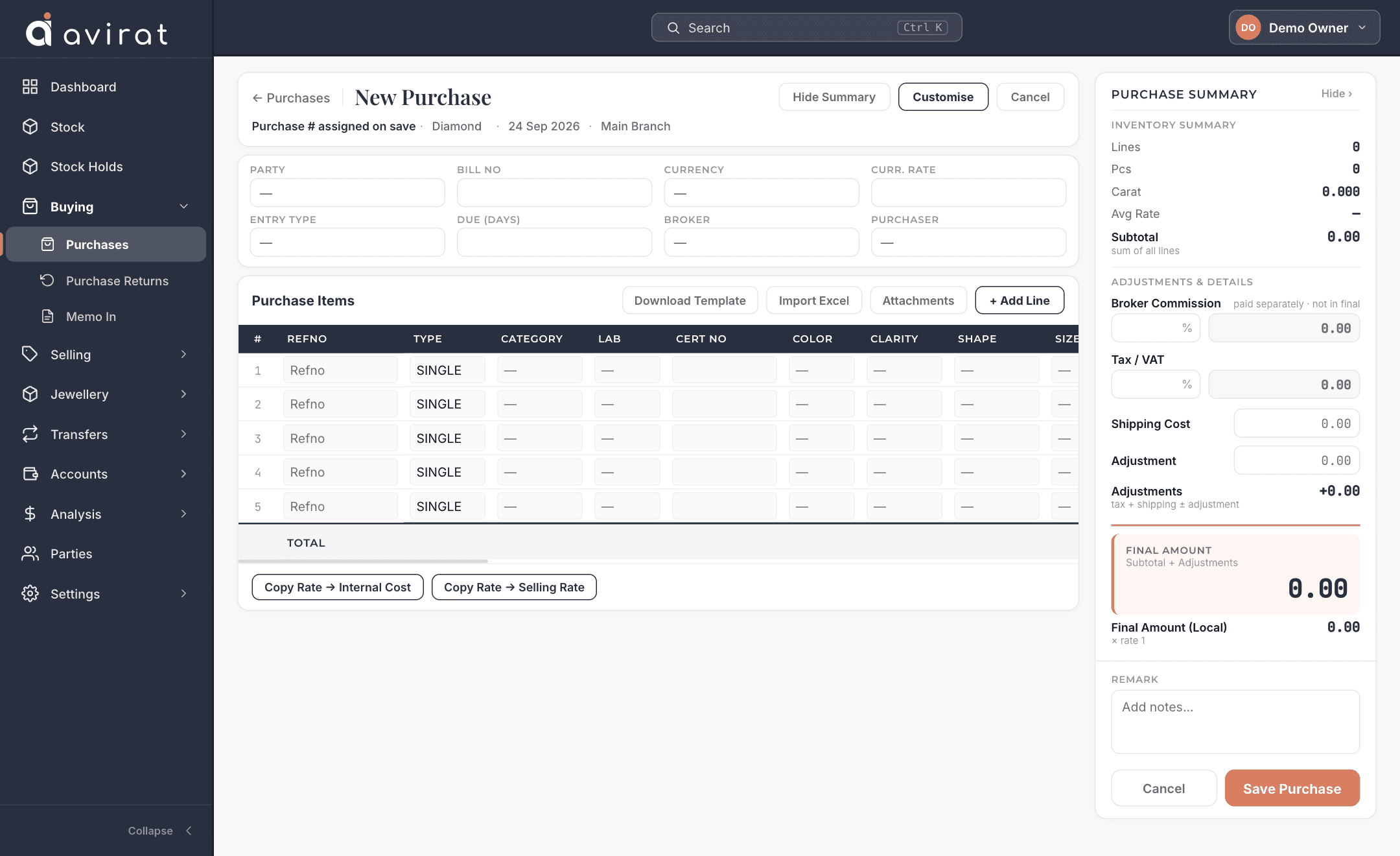
- Purchase, sale and returns. Enter a whole parcel in one grid or import it from Excel, then print or email the invoice with the PDF attached.
- Memo out and in. Send stones on memo, take them back or sell them in part, with ageing so nothing sits forgotten.
- Holds, transfers and packets. Hold stones for a customer, move stock between branches, split and merge packets.
- Labels and data feeds. Barcode or QR labels sized for your own printer, and a secure feed that gives your stock to outside platforms.
Gemstone inventory software
Coloured stones with the fields the trade actually asks for.
- Gemstone-specific fields. Variety, origin, treatment, cutting type, colour grade, dimensions, lab and certificate number.
- The same trading workflow. Purchase, sale, memo, returns and transfers work exactly as they do for diamonds — one system, not two.
- Parcels and single stones. Track a parcel by pieces and carats, or one stone at a time.
- Your own reference lists. Varieties, origins, treatments and grades are lists you control, not fixed ones.
- Reports and Excel. Stock, ageing and margin reports filtered for gemstones, exported in one click.
Jewellery software
Finished pieces, and the stones and makers behind them.
- Jewellery with its stones. Record each piece with metal, purity, weight and labour — and the diamonds or gemstones set in it.
- Jewellery making. Issue stones to a karigar, receive the finished jewellery back with the stones set, see what each maker holds, and book the making charge.
- Repairing. Take in a repair, track its status and due date, deliver and bill it.
- Customer orders. Take an order, issue the stones for it, and follow it through to delivery.
- Trace both ways. From a piece to the stones inside it, or from a stone to the piece it ended up in.
Included whatever you trade
Make every screen your own
Your own fields on 14 entry screens; rename, hide and reorder anything; resize, filter and group every grid.
See how it works →Parties and accounts
Customers, suppliers and brokers with full details, payments, credit and debit notes, ledger and outstanding.
Multi-branch, multi-currency
Work across branches and currencies; a branch user sees only their own branch.
Users and permissions
Roles for sale, purchase, memo and accounts staff, with per-person overrides, and optional two-factor sign-in.
Print, PDF and email
Four invoice looks you can edit, a PDF for every document, and one click to email it with the PDF attached.
Reports
Margin, stock ageing, memo ageing and client reports, all exportable to Excel.
Import and export
Bring parties and stock in from Excel; take all of your data out whenever you like.
Make it yours
Add your own fields, rename, hide and reorder what is on each entry screen, and arrange every stock and report grid your way.
A full audit trail
Who changed what, and when — for every stone and document.
Barcode & QR labels
Label templates for your own printer, arranged by drag and drop.
Data feeds
Give an outside website or platform your stock as JSON, with its own key and field names.
Email documents
Send any invoice or memo by email with the PDF attached, from your own address if you like.
Stock holds
Hold stones for a customer so nobody else sells them, with an expiry.
Try it with your own stock
14 days free, everything switched on, no card needed.