
Inventory, trading & billing for diamonds, gemstones & jewellery
Avirat keeps every stone with its full certificate detail and runs purchase, sale, memo, jewellery making, repairs, payments and reports in one system — built for the way the trade actually works.
One system for what you trade
Avirat is cloud software for diamond, gemstone and jewellery businesses. Choose the products you deal in — any one, two or all three — and you get exactly their screens, fields and reports.
Diamond inventory software
Loose polished diamonds, certificate by certificate.
- Full certificate detail
- Every certificate a stone has
- Recut and lab, tracked
- Stock that answers instantly
Gemstone inventory software
Coloured stones with the fields the trade actually asks for.
- Gemstone-specific fields
- Every certificate a stone has
- Recut and lab, tracked
- Weight loss priced in
Jewellery software
Finished pieces, and the stones, gold and makers behind them.
- Jewellery with its stones
- BIS hallmark (HUID)
- Daily gold rates
- Price by weight on the invoice
Your whole business on one screen
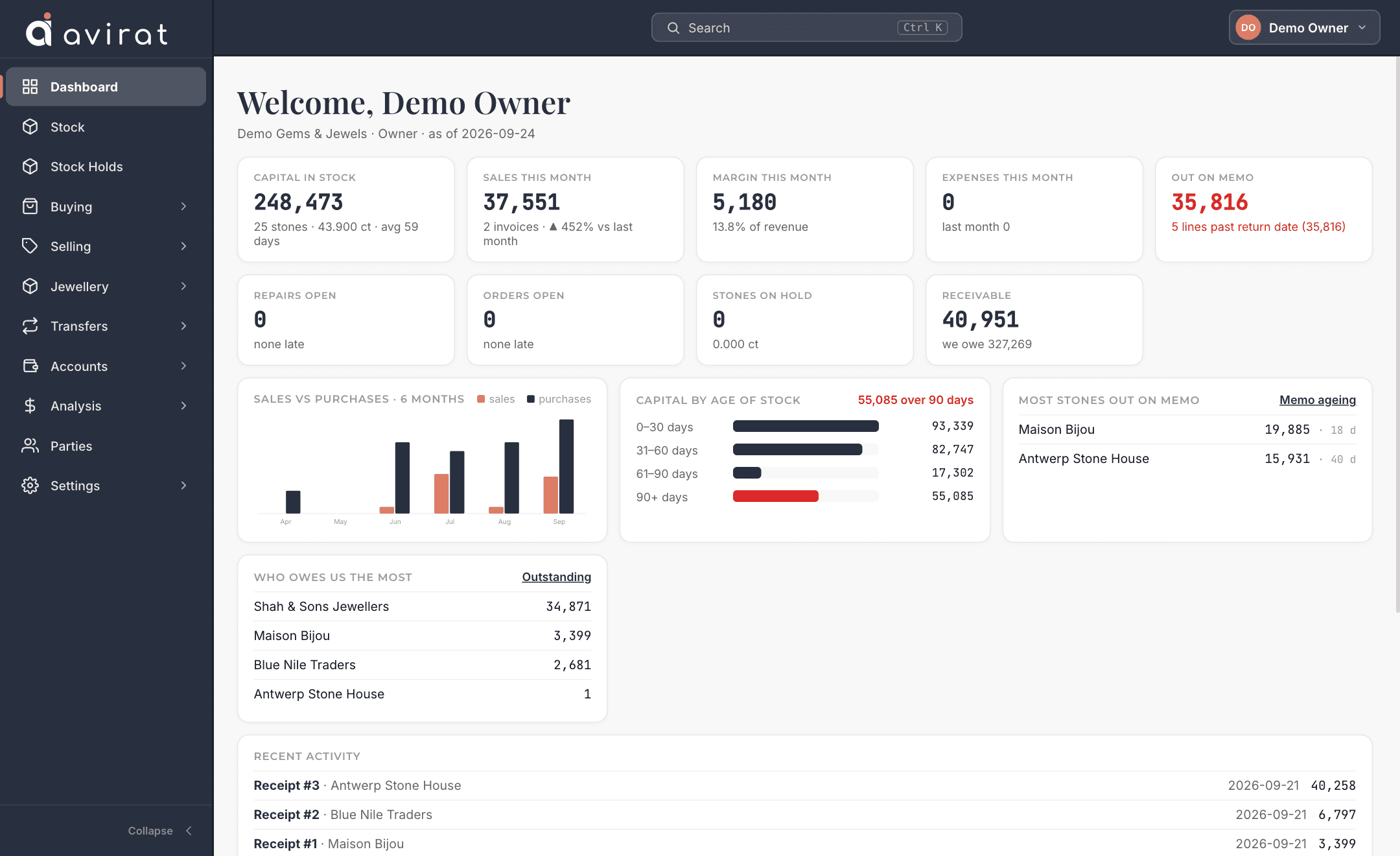
Capital tied up in stock, this month’s sales and margin, what is out on memo and overdue, who owes you and how old your stock is — the moment you sign in.
- Capital in stock by age, so slow stock stands out
- Memo lines past their return date, in red
- Who owes you the most, one click from their ledger
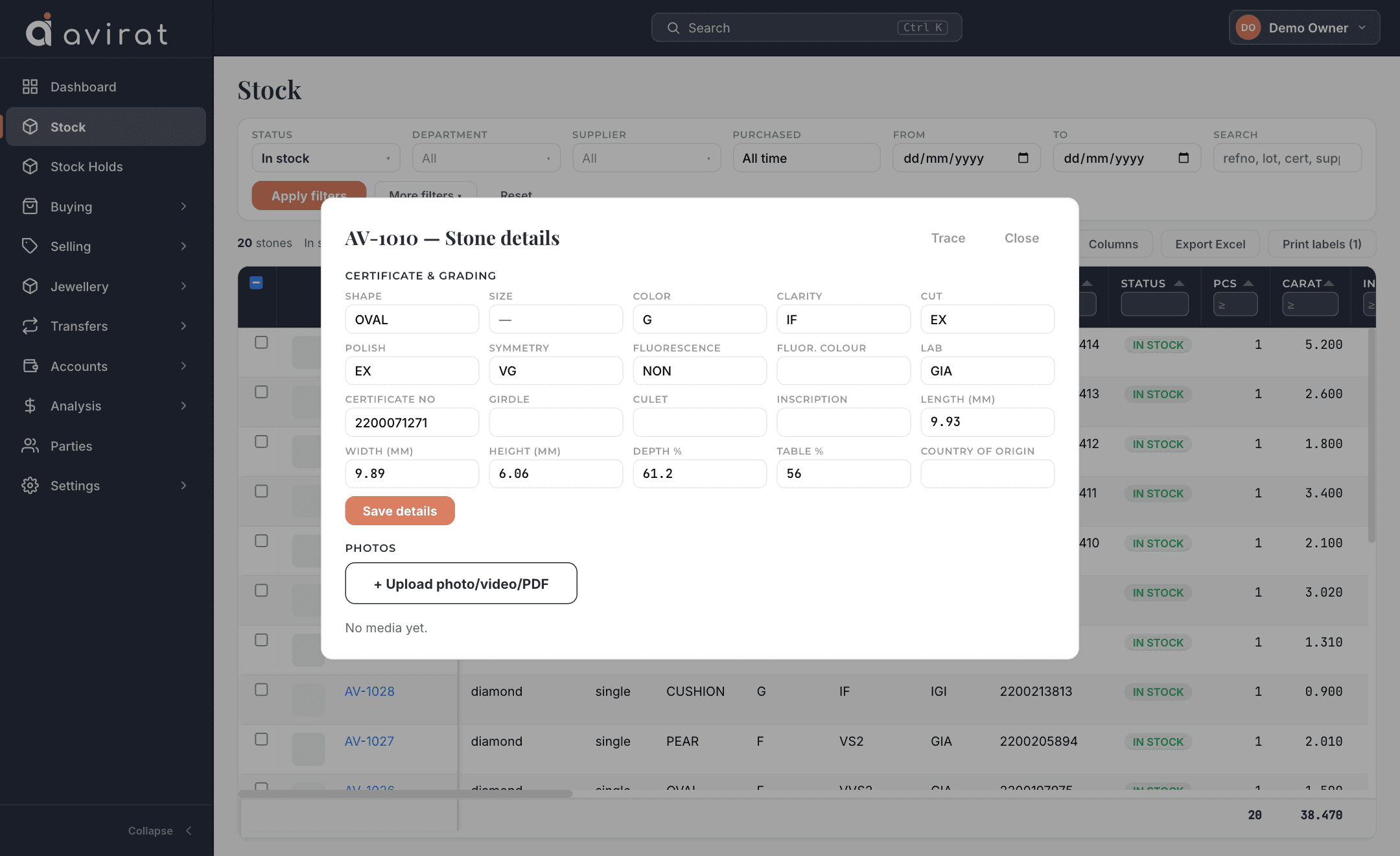
Every certificate detail, on every stone
Cut, polish, symmetry, fluorescence, measurements, depth, table, girdle, culet and inscription — entered with the purchase, or added the day the certificate arrives.
- GIA, IGI or any lab
- Filter stock by any grade or measurement range
- Print it on labels; send it to outside platforms
Find any stone in seconds
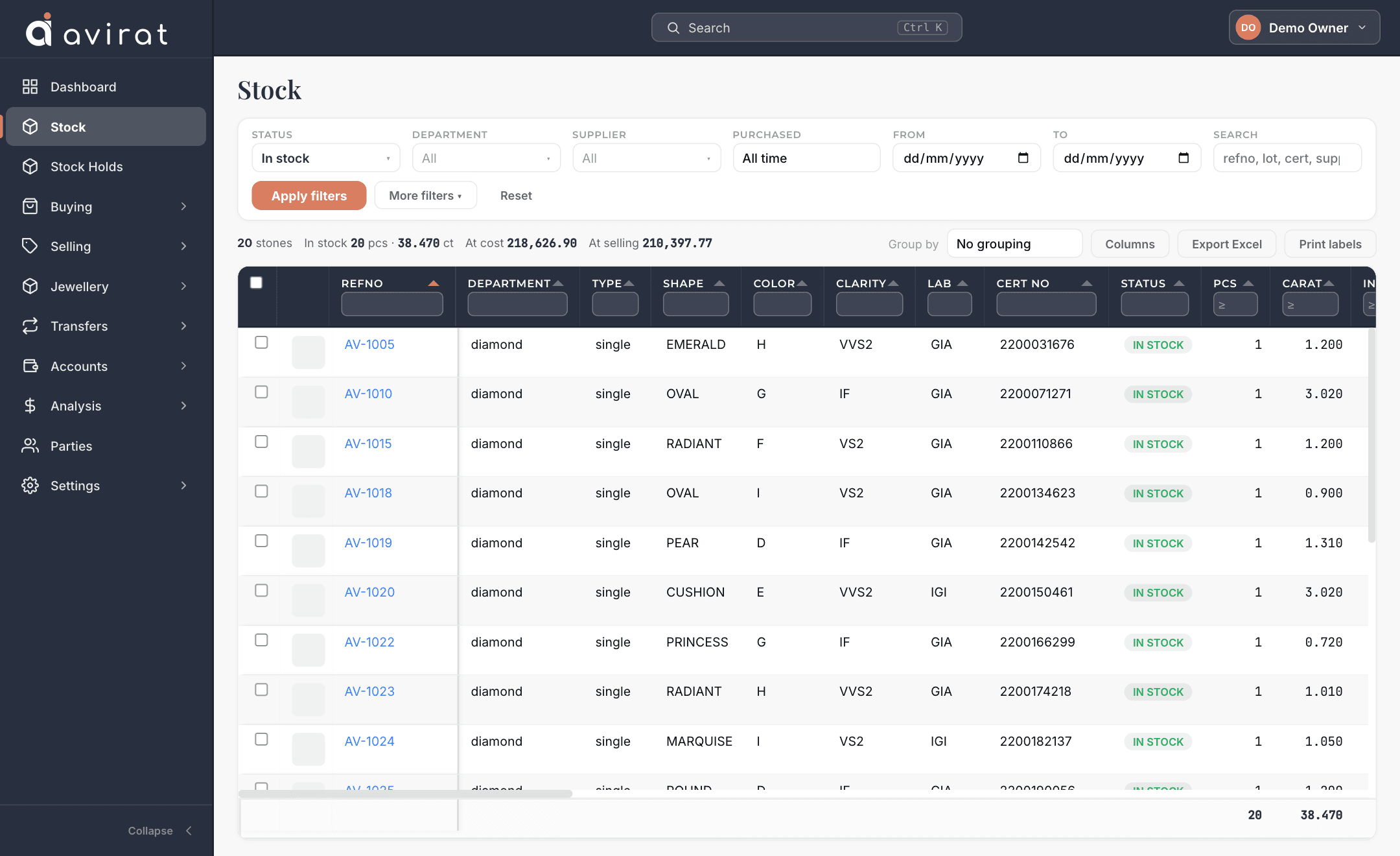
Filter by anything you record, pick the columns you want, group and total, then export to Excel or print labels for what you selected.
- Totals for pieces, carats and value at cost and selling
- Resize, reorder and choose your columns
- Photos, videos and certificates on each stone
Know what is sitting still
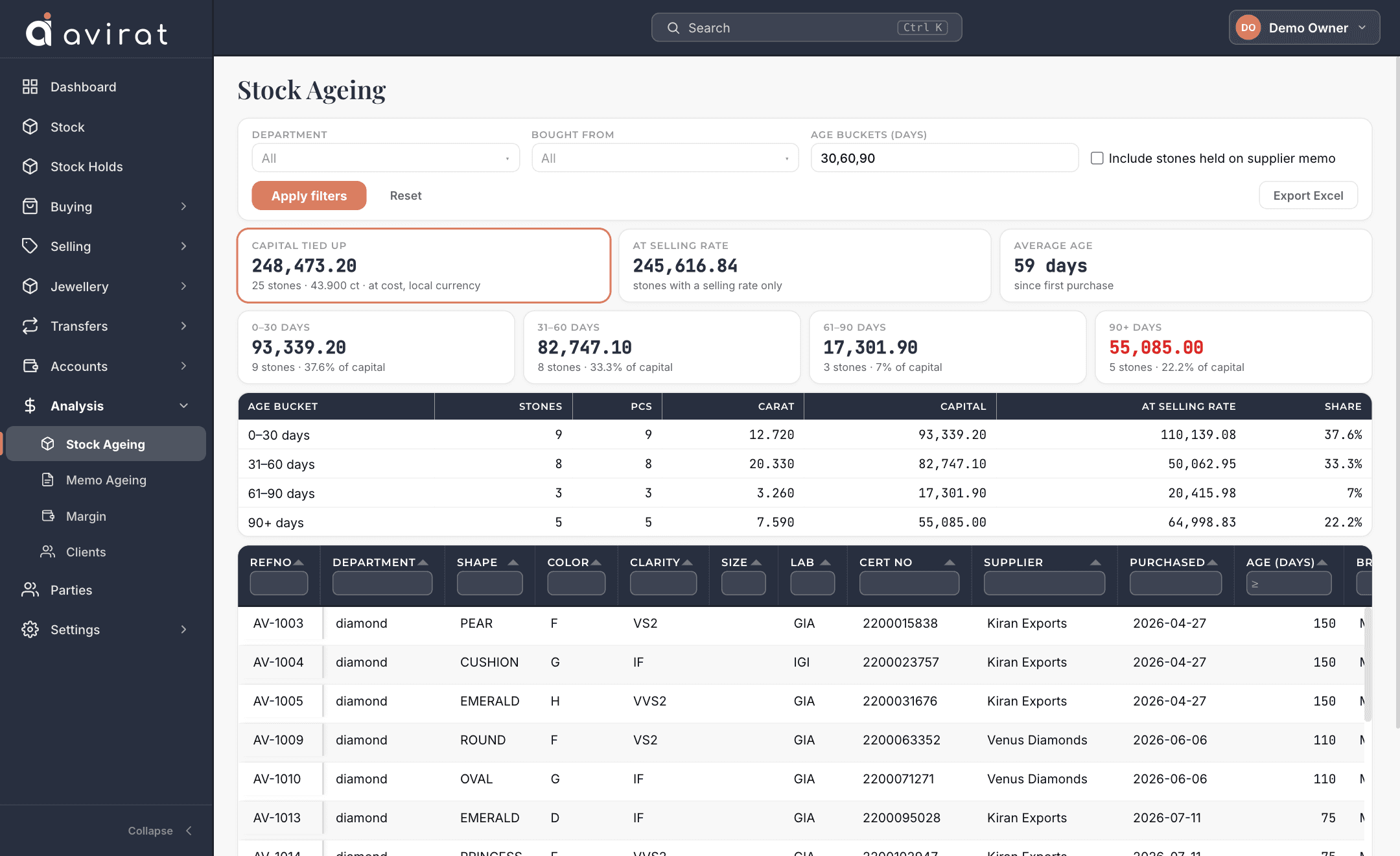
Stock ageing, memo ageing, margin by sale and client reports show where money is tied up and what is actually earning.
- Every report exports to Excel
- Filter by branch, product, party and grade
- Margin on every sale, from real cost
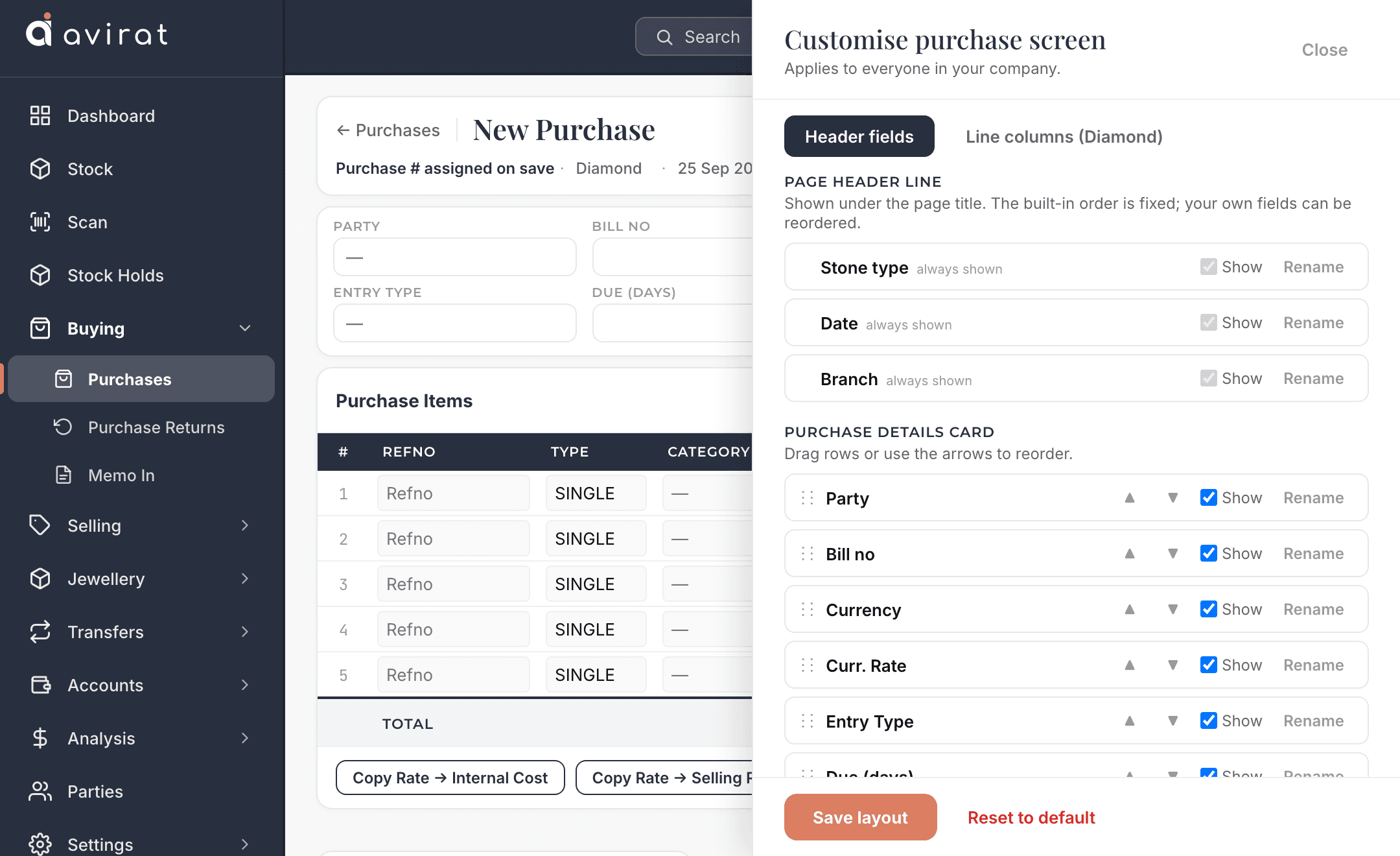
Your own fields, in your own order
Add the fields your business needs to any entry screen, rename and hide the rest, and arrange every grid the way you read it — saved for your whole company, in every plan.
- Text, number, date, dropdown or tick-box fields
- A number field can add to or subtract from the total
- Rename, hide and drag anything into order
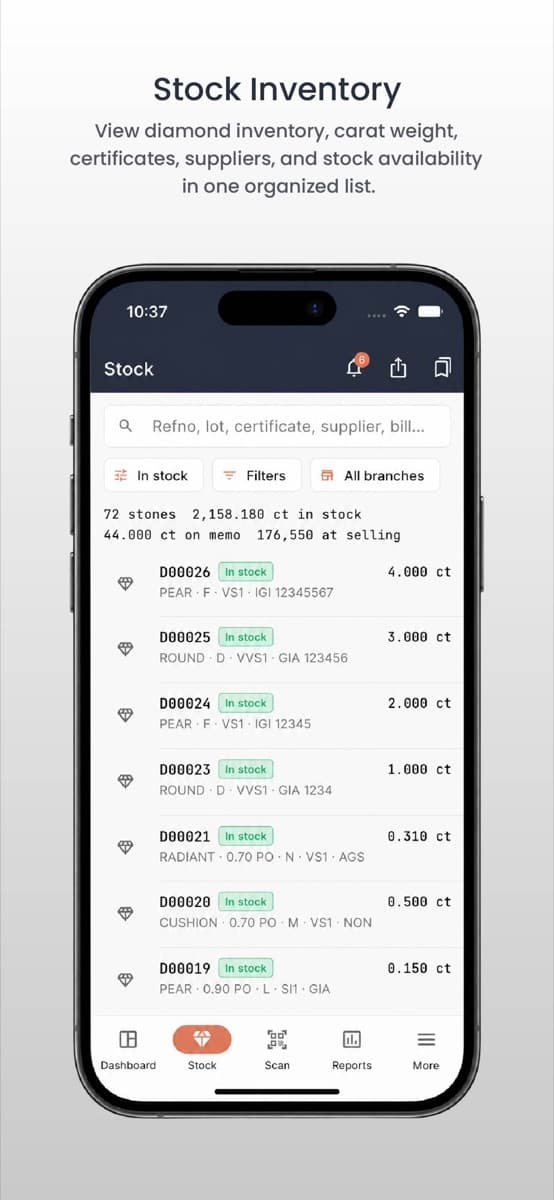
Your stock in your pocket
The Avirat app for Android and iPhone works on the same live data as the software — at the bourse, at a client’s office or on the factory floor.
- Find any stone by scan, refno or certificate, with its photos and status
- Put stones on hold and share them with a buyer as a link or PDF
- Record sales, memos and payments, and check outstanding and reports
- Each person sees only what their role allows — prices included
Everything around the stock, too
Parties and accounts
Customers, suppliers and brokers with full details, payments, credit and debit notes, ledger and outstanding.
Multi-branch, multi-currency
Work across branches and currencies; a branch user sees only their own branch.
Users and permissions
Roles for sale, purchase, memo and accounts staff, with per-person overrides, and optional two-factor sign-in.
Print, PDF and email
Four invoice looks you can edit, a PDF for every document, and one click to email it with the PDF attached.
Reports
Margin, stock ageing, memo ageing and client reports, all exportable to Excel.
Import and export
Bring parties and stock in from Excel; take all of your data out whenever you like.
Make it yours
Add your own fields, rename, hide and reorder what is on each entry screen, and arrange every stock and report grid your way.
A full audit trail
Who changed what, and when — for every stone and document.
Stock you can trust
A stone that is sold, on memo or in transit can’t be sold again — Avirat refuses and names the stone. Memo credit limits and overdue limits are checked on the server, and an override tells the Owner.
Who sees cost, who sees selling
Choose per role or per person who sees cost and who sees selling prices — in stock, reports, labels, scans and exports.
Share stones by link
Send one stone or a whole selection as a catalogue link: photos and details, never your cost. A buyer can register interest, and you are told.
Listings for trading networks
Give your available stock to RapNet and other networks as a listing file or an hourly FTP upload; sold, held and memo stones drop off by themselves.
Real accounts
Trial balance, profit & loss, balance sheet, day book and cash & bank book, straight from your trading entries.
Undo a delete
Deleted an invoice by mistake? Put it back with its number within 90 days.
Reminders that find you
Memos due, payments overdue, holds running out, transfers waiting — in the bell, and in a morning email if you want it.
From sign-up to your first invoice
Five steps — most people are trading the same day.
Choose what you deal in
Diamond, gemstone, jewellery — or any mix. Avirat then shows only the screens, fields and reports for what you trade. You can add another product later.
Start a free trial
Create your company in a minute. Fourteen days with everything switched on, no card needed.
Set up and bring your data
Add branches, users and your reference lists, and import your parties and stock from Excel.
Trade every day
Purchase, hold, memo, sell and get paid. Print or email each document; see stock, ageing and margin as you go.
Pick a plan when you are ready
Pay by the month or the year — a year costs ten months. Your data stays in its own database, exportable at any time.
What people ask first
What is Avirat?
Who is Avirat for?
Do I have to pick all three products?
Can I change my products later?
Is there a free trial?
What happens after the free trial?
Try it with your own stock
14 days free, everything switched on, no card needed.