
How to
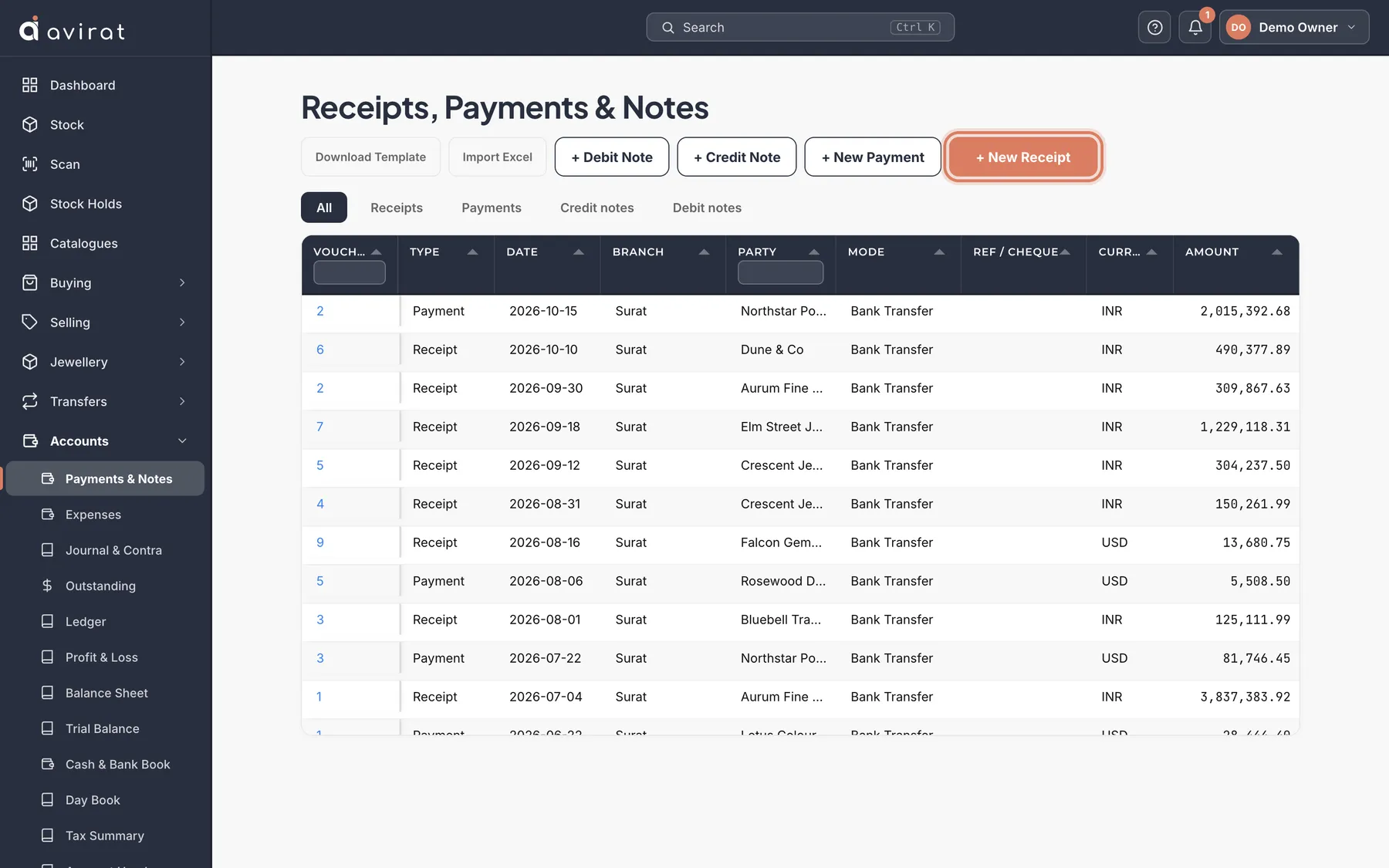
- Accounts → Payments & Notes. Press + New Receipt for money in, + New Payment for money out (or + Credit Note / + Debit Note).
- Choose the Party, the Amount, the Mode and the cash or bank account.
- The party’s open invoices appear: Auto-allocate oldest first settles the oldest, or enter how much settles each one.
- Save. What they owe goes down by what was settled.
Good to know
- Money not settled against an invoice stays as an advance on their account.
- An invoice in another currency can be settled too: enter the rate between the two currencies — the one the bank actually gave. The difference from the invoice’s own rate goes to exchange difference in the books.
- Many at once: Download Template, fill it in, and import it on the Payments & Notes screen.
- Your cash and bank accounts are parties too — on the Accounts tab of Parties.
Related
Still stuck? WhatsApp or call us on +91 97262 88072, or use Help & support inside Avirat — we’ll see the screen you’re on.