
How to
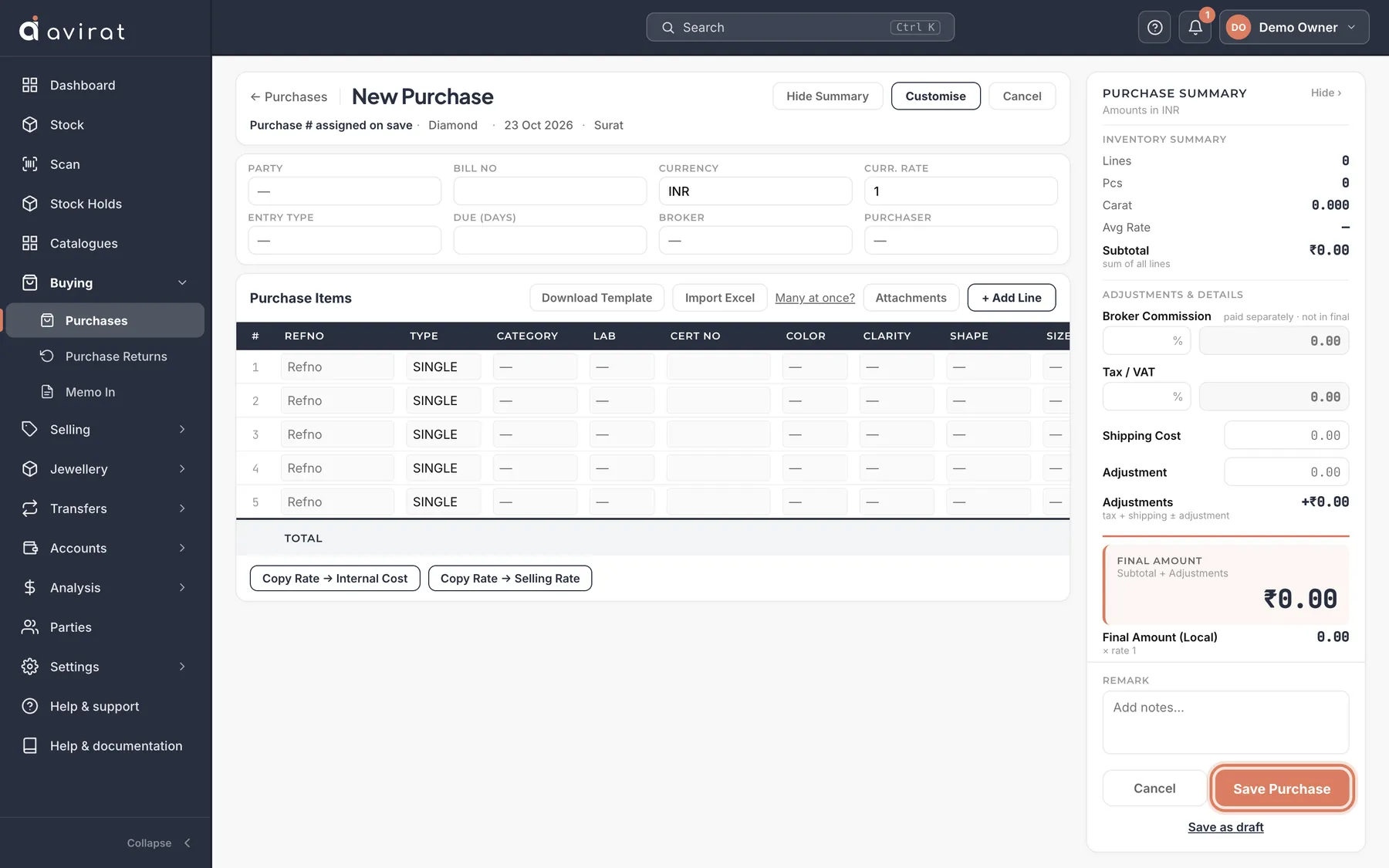
- Buying → Purchases → + New Purchase.
- Choose the Party (supplier) and Currency. Curr. Rate fills from the currency; change it to the rate on the bill.
- On each line, enter the refno, the grading, Carat and Rate — Amount is carat × rate. A parcel is one line with its pieces and total carats.
- With a Rap price list, the Rap price fills in by itself; type a Disc % and the Rate is worked out for you.
- Press Save Purchase. The stones are in Stock straight away, and you owe the supplier the amount.
Good to know
- Not finished? Save as draft keeps the form as it is — no stone is created and no number is taken. It waits under Drafts on the Purchases list.
- Import Excel fills this purchase’s lines from a sheet. Attachments keeps the supplier’s bill with the purchase.
- Shipping cost and Adjustment add to what you owe the supplier — and to the stones’ cost if your company chose that in Settings → Stone Costing.
- Customise (owners) adds your own fields and hides or reorders columns for everyone in the company.
- In a dropdown, type the value and press Enter — the exact match is picked.
Related
- Bringing your stock in from Excel
- Stones a supplier sends you on memo (Memo In)
- Returning stones to a supplier
- Currencies and exchange rates
Still stuck? WhatsApp or call us on +91 97262 88072, or use Help & support inside Avirat — we’ll see the screen you’re on.