
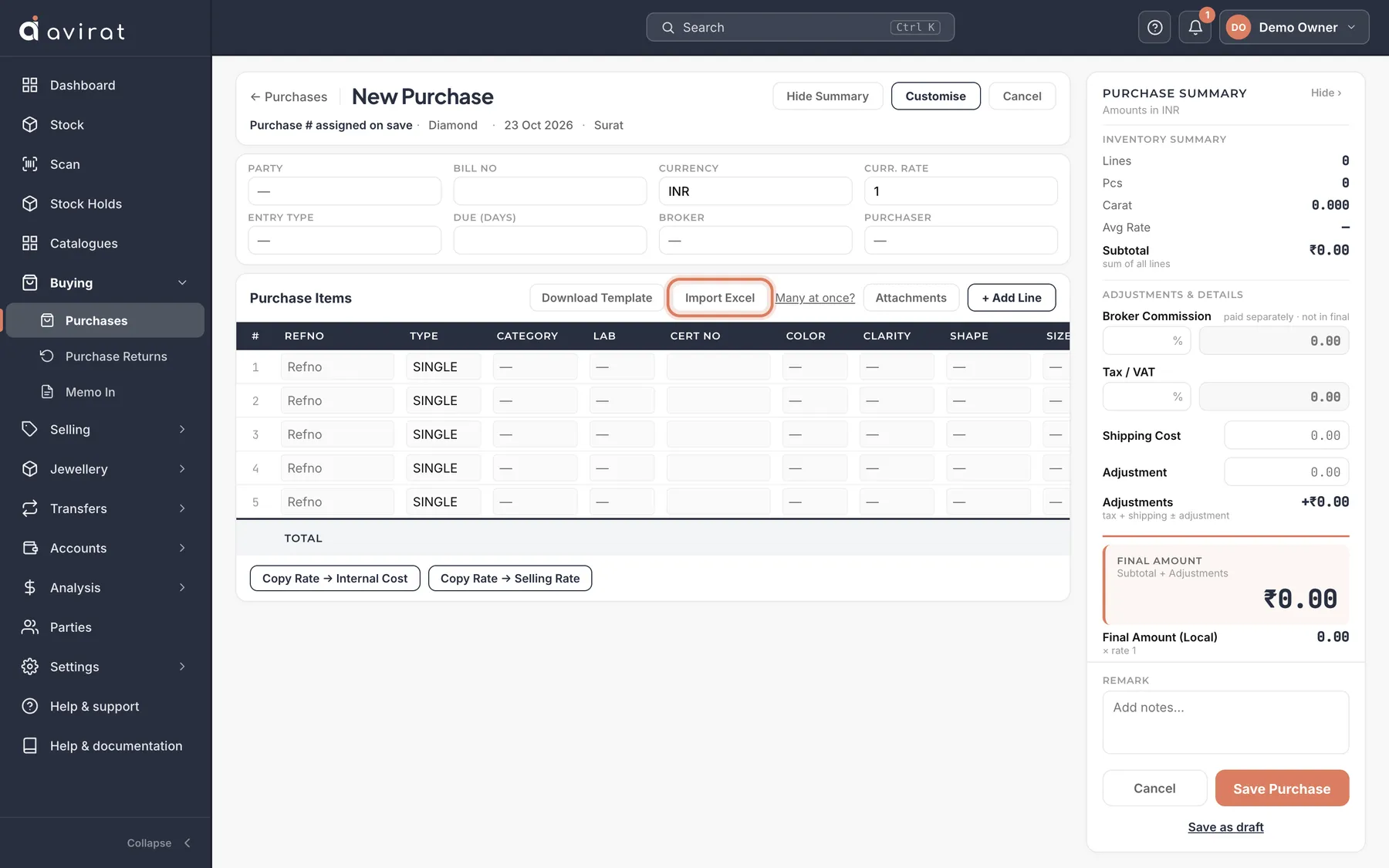
How to
- For one supplier’s stones: open Buying → Purchases → + New Purchase, choose the supplier, and press Import Excel. Download the template, fill one row per stone, and upload it — the lines fill in; check them and press Save Purchase.
- For many purchases at once: on the Purchases list use Import from Excel. One row per stone; rows with the same Invoice No become one purchase.
- Press Check file first: it shows every invoice and any problem, row by row, before anything is saved.
- Fix the sheet if needed and upload again — invoices already imported are skipped, never added twice.
Good to know
- Your stock in Excel and no time? WhatsApp us your file and we import it for you during your trial.
- Parties (suppliers and customers) can be imported the same way from Parties → Import Excel.
- Stones bought on a purchase appear in Stock straight away, at the cost on the purchase.
Related
Still stuck? WhatsApp or call us on +91 97262 88072, or use Help & support inside Avirat — we’ll see the screen you’re on.