
How to
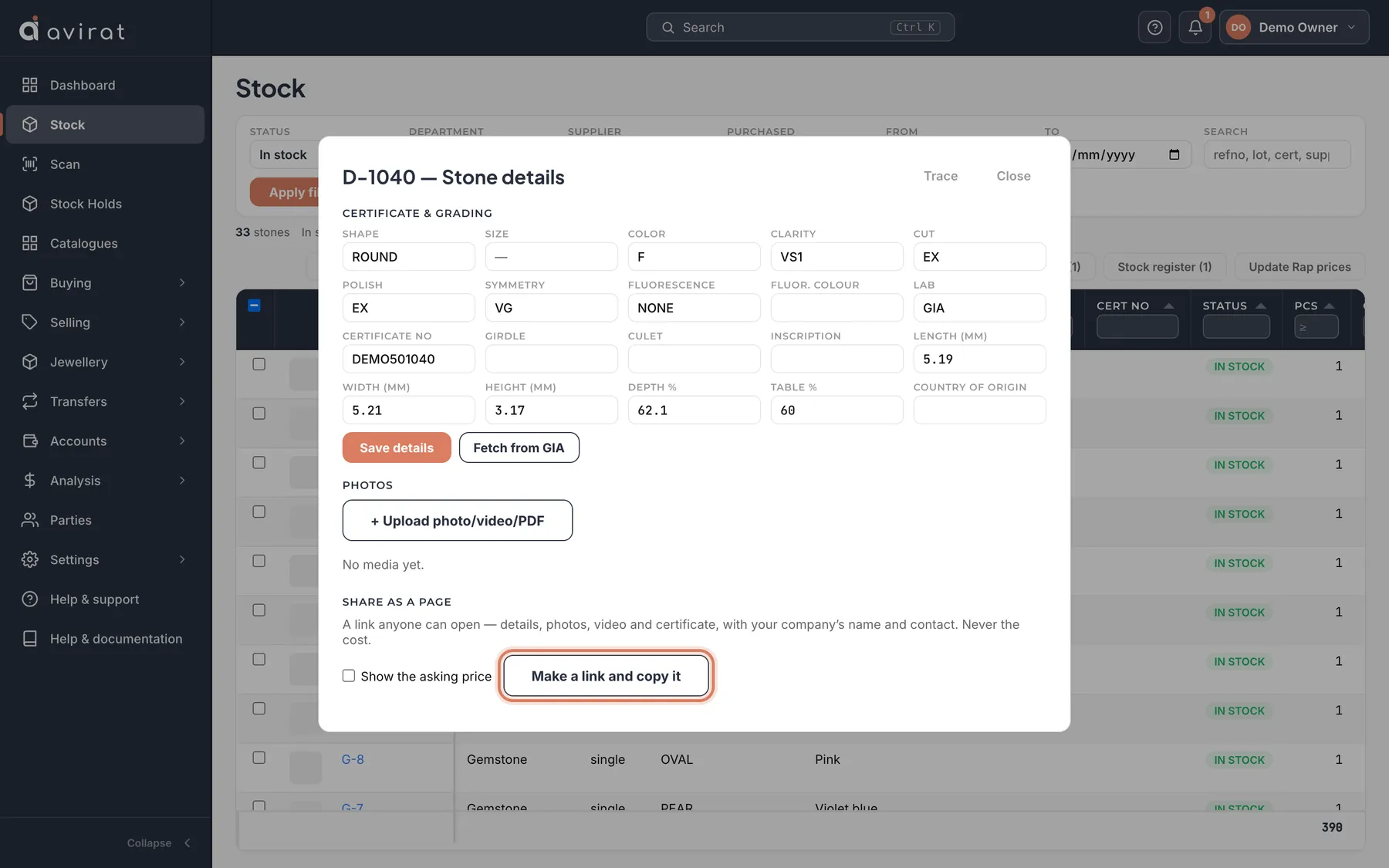
- On Stock, click the stone’s refno — its details open. Scroll to Share as a page.
- Tick Show the asking price if the buyer should see it, and press Make a link and copy it.
- Paste the link into WhatsApp or mail. Each link is listed under the button — with or without price, who made it and how many times it was opened.
- Copy or Open a link again from that list, or press Stop to end it at once.
Good to know
- What every shared page shows is set once in Settings → Shared Stone Page — the ref no., photos, videos, certificates, each detail and your own fields.
- The cost is never shown.
Related
Still stuck? WhatsApp or call us on +91 97262 88072, or use Help & support inside Avirat — we’ll see the screen you’re on.