
How to
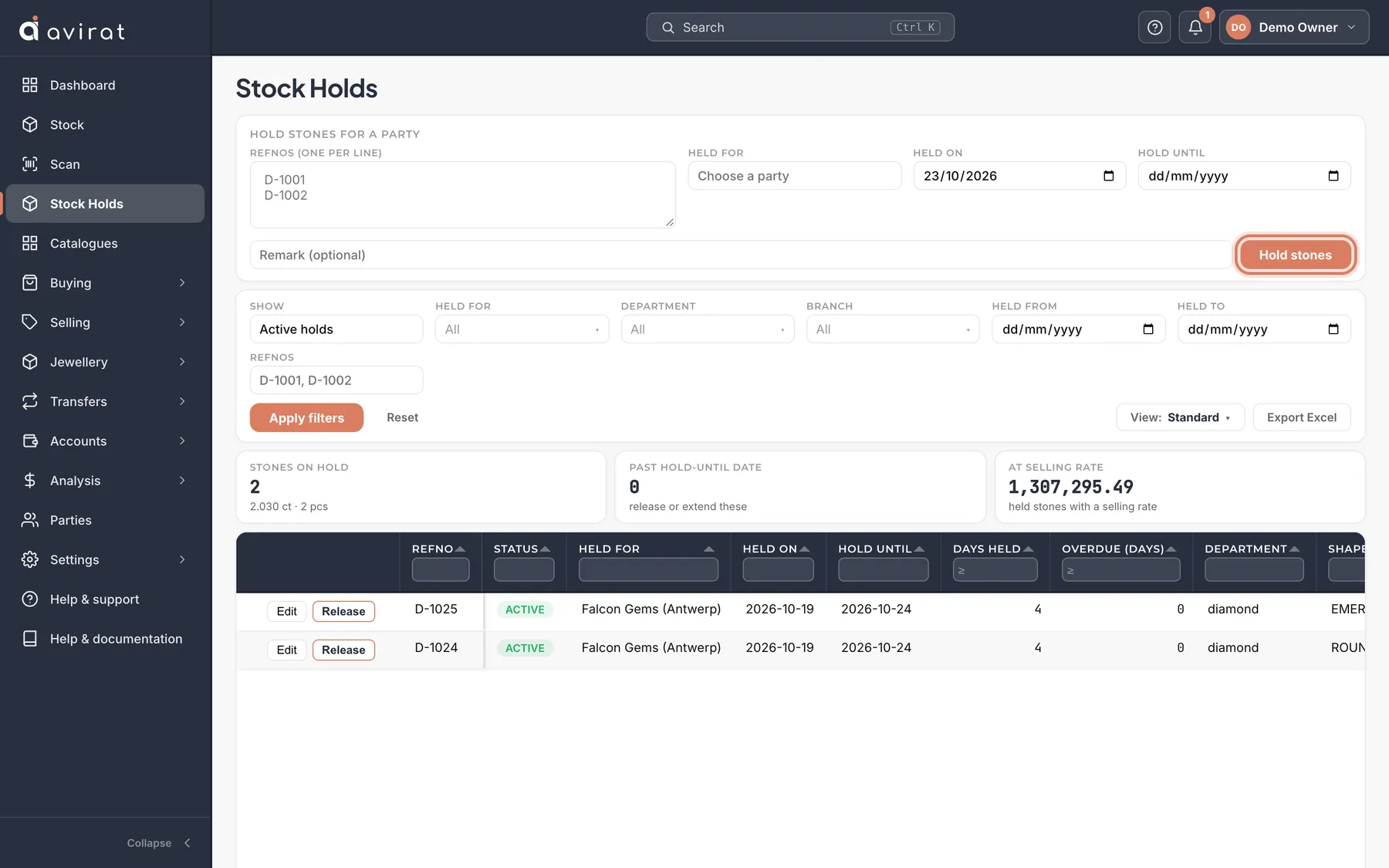
- Open Stock Holds and press Hold stones for a party.
- Type the refnos (one per line), choose the party, and set Hold until if you want a date.
- Release a hold when the customer decides — or it stays until you do.
Good to know
- A held stone stays where it is but can’t be sold, sent on memo, transferred or returned until the hold is released.
- Past hold-until date shows holds that have run over. An online order from your Shopify store also places a hold.
Related
Still stuck? WhatsApp or call us on +91 97262 88072, or use Help & support inside Avirat — we’ll see the screen you’re on.