
How to
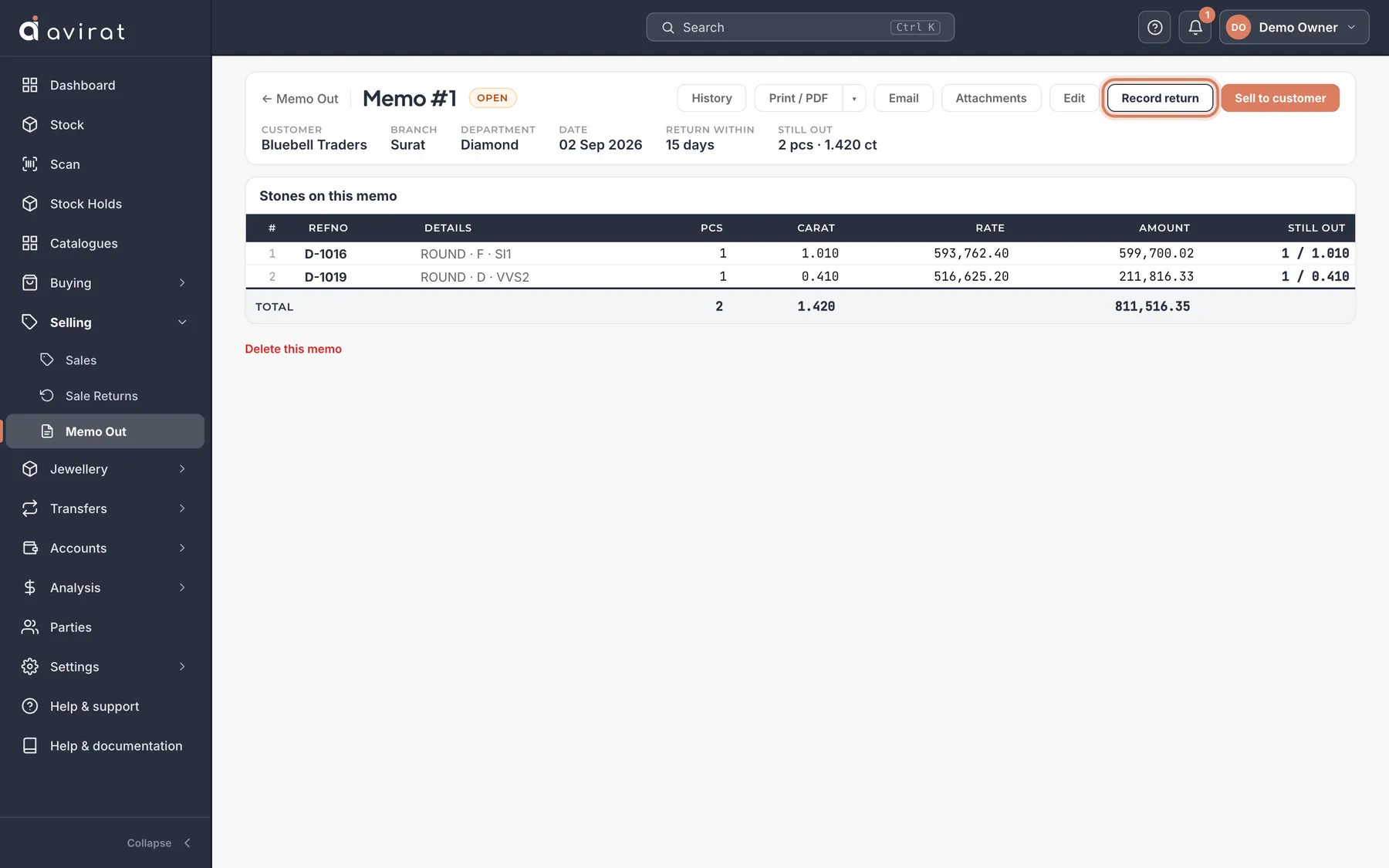
- Selling → Memo Out → + New Memo. Choose the customer, pick the stones, and set how many days they may keep them.
- When stones come back, open the memo and press Record return — part of it is fine, and a parcel can come back by pieces and carats.
- When the customer buys, open the memo and press Sell to customer — the sale is filled from the memo.
- Analysis → Memo Ageing shows what is out, for how long, and what is past its return date.
Good to know
- The customer’s credit limit (on their party) counts what they hold on memo with what they owe; a memo over the limit needs someone with that permission.
- Many memos at once: Import from Excel — rows with the same Memo No are one memo.
- Read more about how memo works in the trade: aviratsoftware.com/guides/diamond-memo-consignment.
Related
Still stuck? WhatsApp or call us on +91 97262 88072, or use Help & support inside Avirat — we’ll see the screen you’re on.